
Overview
Your homepage and landing pages rarely close the sale themselves. Their job is to move people into product pages, the offer, the next step. Judging a homepage test on orders alone asks it to win a game it isn't playing, and it can take weeks of traffic to get an answer.
So we added reach rate as a goal for A/B tests in Ordinary. You choose the page a test should send people to, and each version is scored on how many of its visitors get there. We also built tools for running several tests at once. For scoring tests on profit and ad spend, see A/B test results in profit, not just conversion rate.
Reach rate
Score a test on where visitors go next
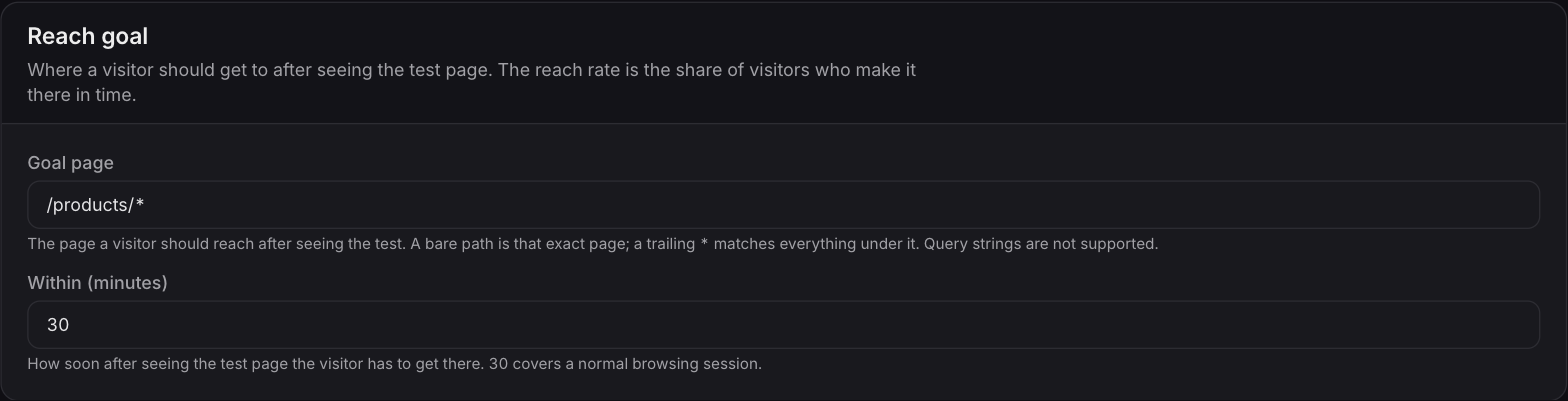
Pick a goal page
Choose where the test should send people: one page, like your offer page, or a whole section, like every product page on your store.

Set a time window
Decide how soon after seeing the test a visitor has to get there. The default covers a normal browsing session, and you can widen or tighten it to fit how your shoppers move.
Score each version on the next click
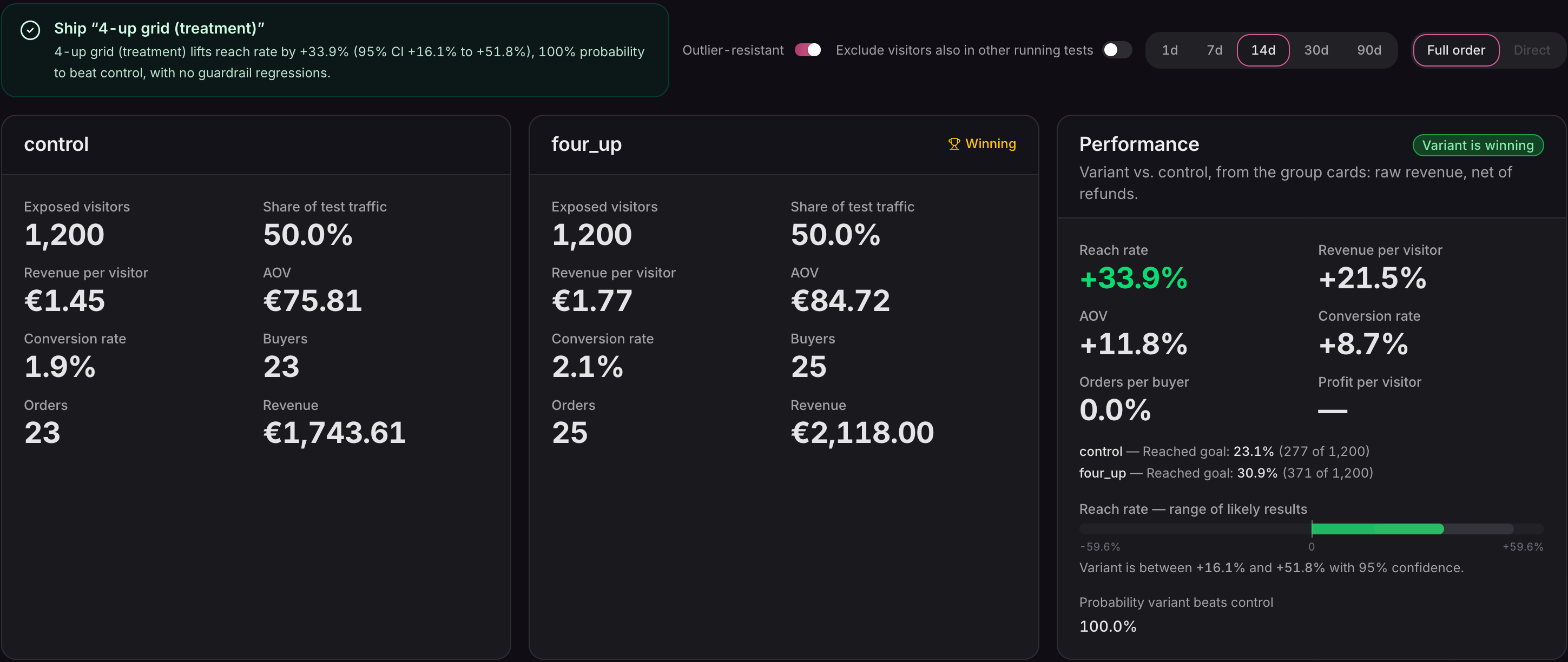
Every version is scored on the share of its visitors who reached the goal page. Say you test two homepage heroes: the winner is the one that sends more shoppers into your product pages, even in a week where few of them buy.
Running tests side by side
More than one test, without the guesswork
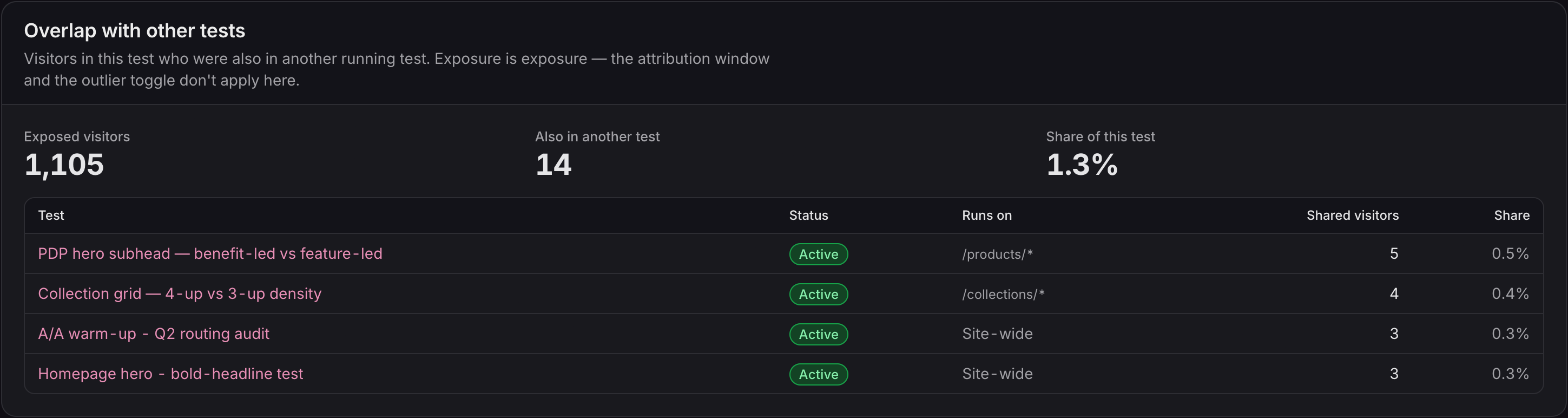
Overlap with your other live tests
Each test shows how many of its visitors are also in your other live tests, in total and test by test, so you know how much two results could be influencing each other.
A warning when two tests change the same element
If two live tests edit the same element on the same page, both tests show a warning naming the other test and the elements they share. You see it before the results get muddied, not after.
Uneven splits inside a test group
Tests that share a group don't have to share its traffic equally. Give one a 70/30 split, or run a new idea as a 90/10 trial while the proven test keeps most of the traffic.
Also in this release
Notes on every test, and tests built in your theme
Notes on every test
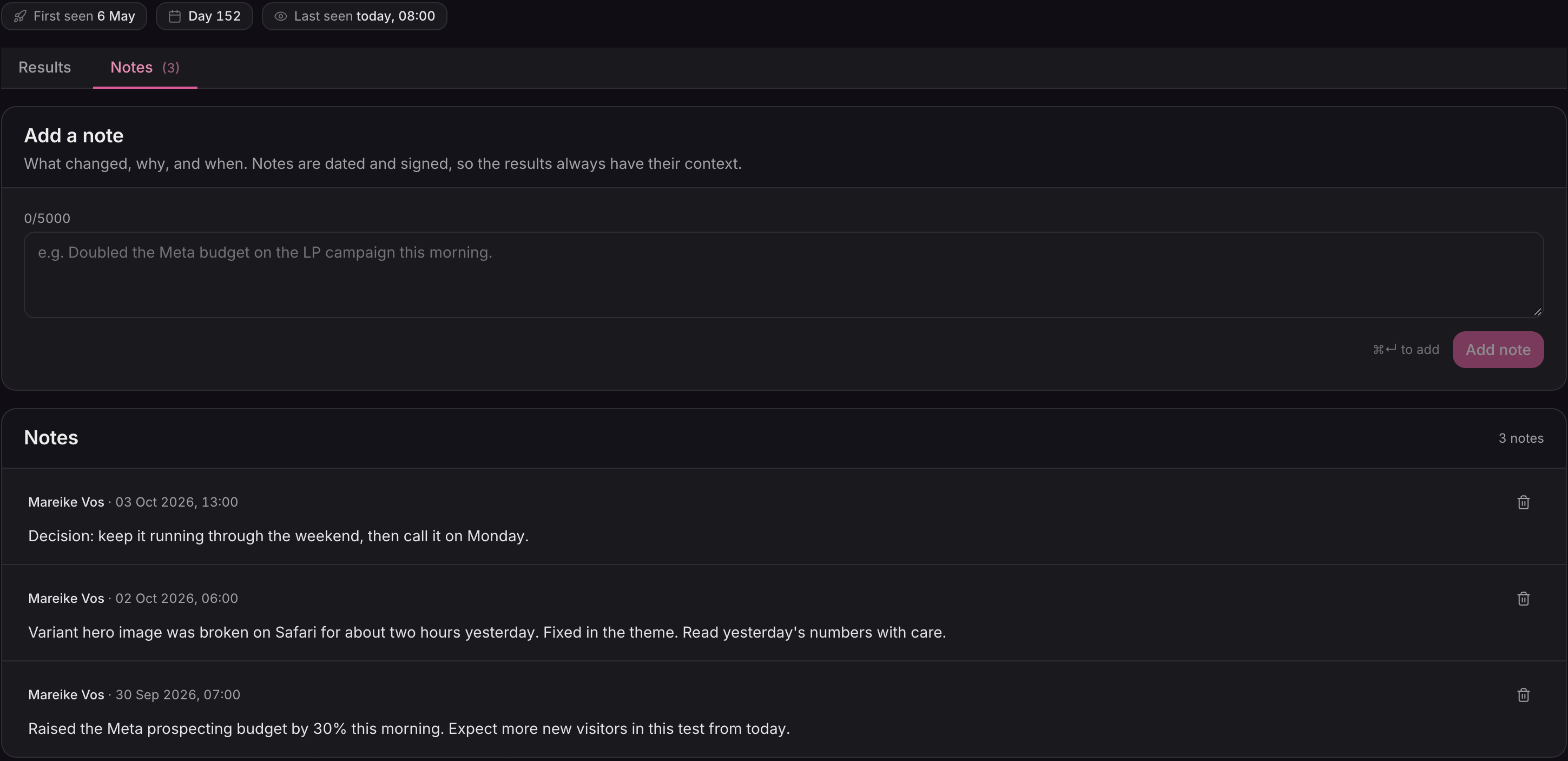
Every test has a Notes tab: a dated, signed log anyone on your team can add to. Use it for the context the numbers can't carry. The budget change on day two, why you paused, what you decided at the end. Notes stay with the test, so the story is still there when you look back at it in six months.
A list you can read at a glance
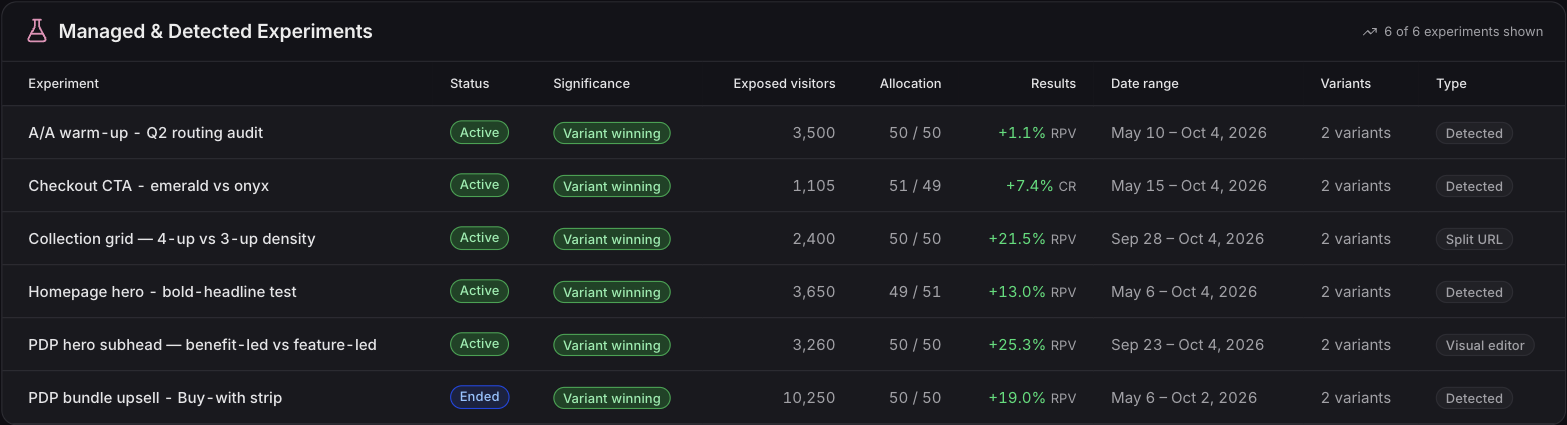
For every test, the Experiments list shows its result against the control, the traffic split it actually got, and how it's delivered: split URL, visual editor, theme code, or detected from another tool. Open a test and a row of chips tells you when it launched, which day it's on and when a visitor was last seen.
Tests built in your theme code
Some changes need your theme: a price read from the product, a new section, a menu item. Your developer builds both versions in the theme, Ordinary shows each visitor one of them, and the result is scored like any other test. When you press Start, Ordinary checks that the test is live on the page. The setup form also tells you early when a page is close to Shopify's 25-section limit, so a whole-page redesign can run as a split-URL test instead.
Available now
Reach rate, Notes and tests built in your theme code are live on every plan. The Free plan includes one A/B test; the Starter plan and above run as many tests as you like, side by side.
 Connect your store