
Overview
Ordinary's conversion funnel shows your storefront conversion rate with subscription reorders split out as their own bar. Fold them back in with one toggle whenever you want your whole Shopify funnel in one picture.
What you see
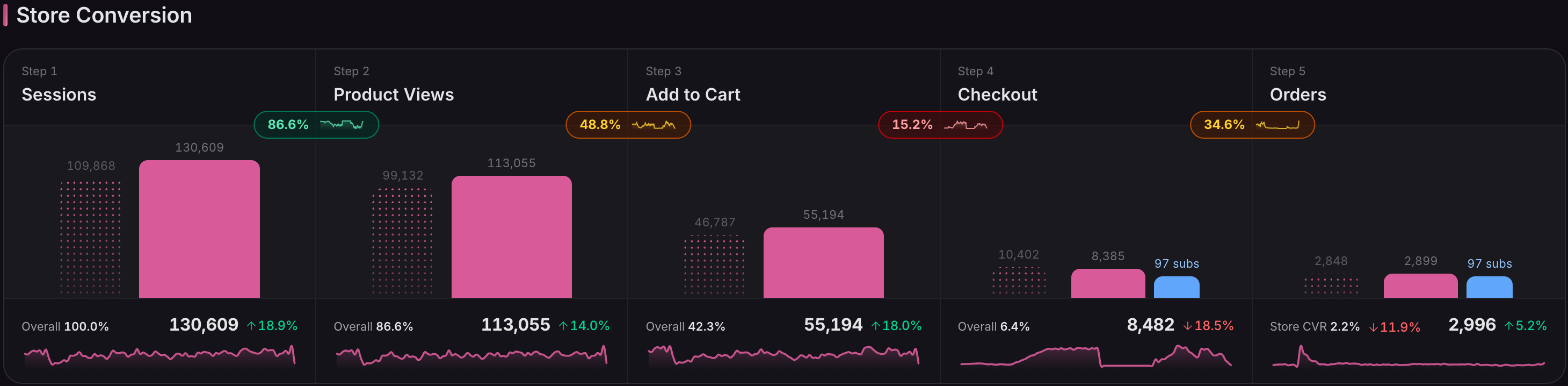
Your ecommerce conversion funnel, from first visit to order
New orders and reorders, side by side
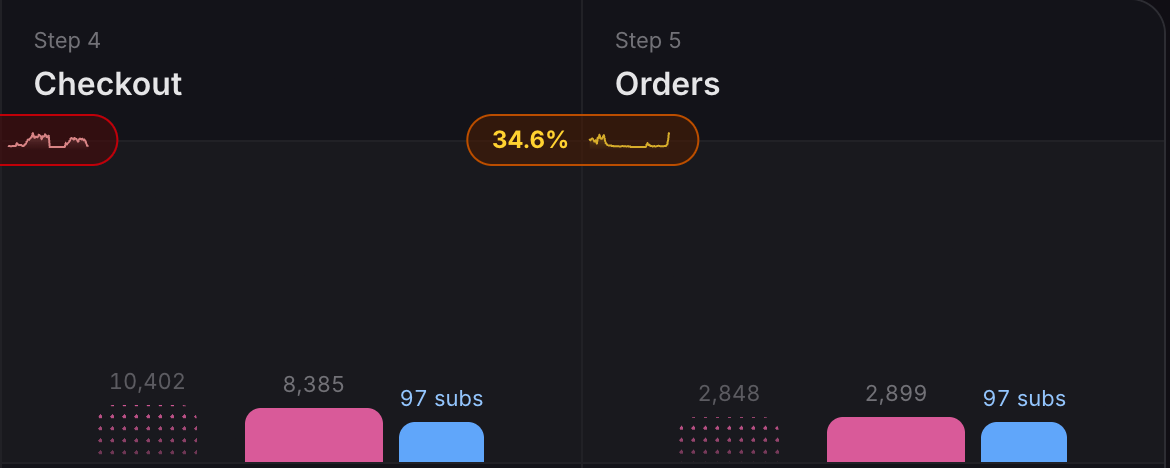
At Checkout and Orders, new orders and subscription reorders show as separate bars, so you see at a glance how much of your volume is recurring.
One toggle for the whole picture
The conversion rate keeps automatic subscription renewals separate by default. Switch on Include subs in CVR to fold reorders in; your order counts and the subscription count stay on screen, and only the rates move.
Every step's trend, in one row
Each step-to-step rate carries its own trend line, so conversion funnel analysis starts with the stage that's slipping, and you can watch the visits behind it.
Available now
On your home dashboard, on every Ordinary plan. See which subscription apps are recognized.
 Connect your store