
Overview
Most products come in sizes, colours or packs, and the one a shopper picks decides what the order is worth. A product total can't tell you which variant is doing the work.
Ordinary now shows every product by variant: on each product's own page, in Unit Sales, and on every page in Page Performance. For margin from your own costs, see product costs and profit.
The product page
Everything about one product, for any date range
Every number for your date range
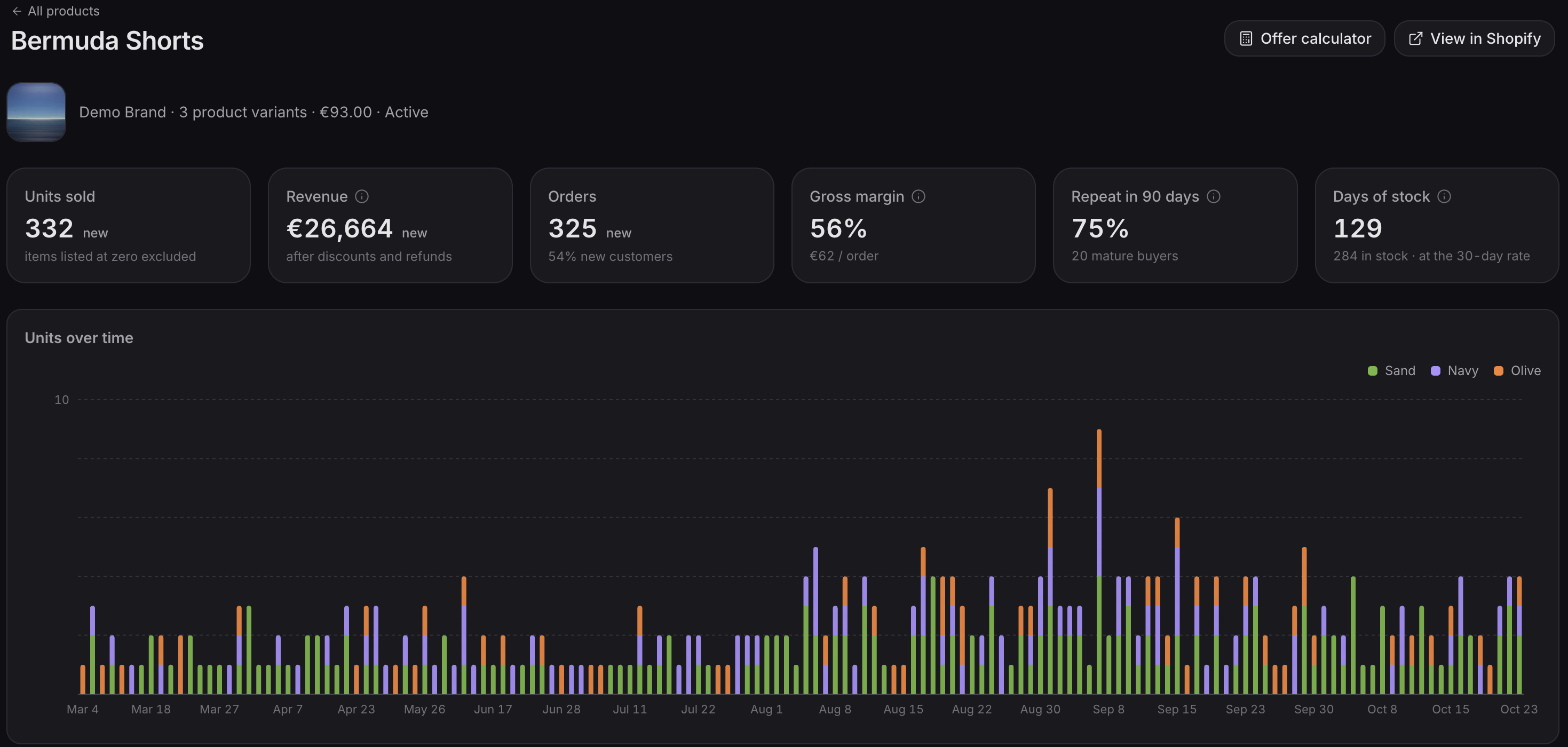
Open any product to see its units, revenue, orders and margin for the dates you've picked, next to the period before.
Which variants are selling
See each variant's share of units, revenue and profit per order side by side, with a chart of its sales day by day, so you can see a size, colour or pack take over. Unit Sales splits products by variant too.

Where it sells and what it's bought with
See which pages on your store sell the product and what it's most often bought with.
Who comes back
See how many first-time buyers of the product order again within 90 days.
Prices, costs and margin
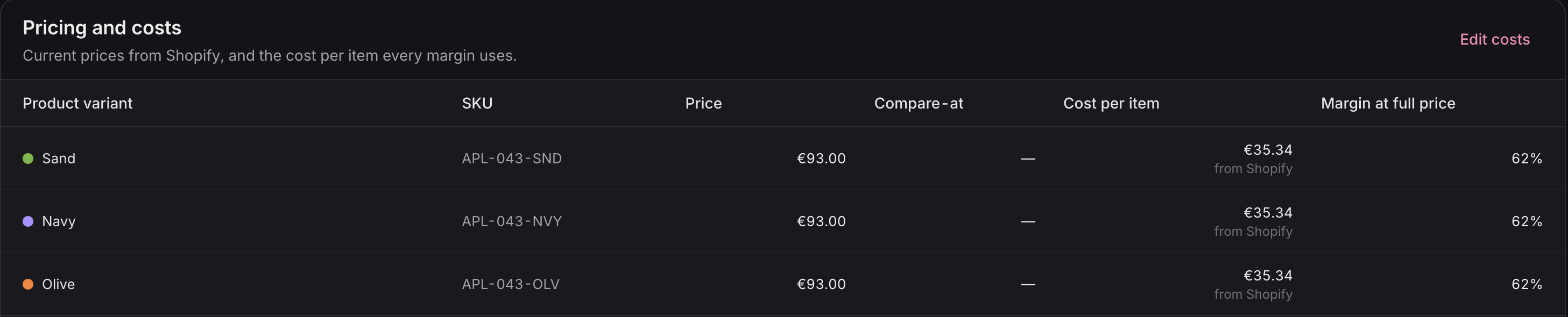
Every variant's price, cost and margin in one table.
Page Performance
Which variant each page really sells
Which variant each page sells
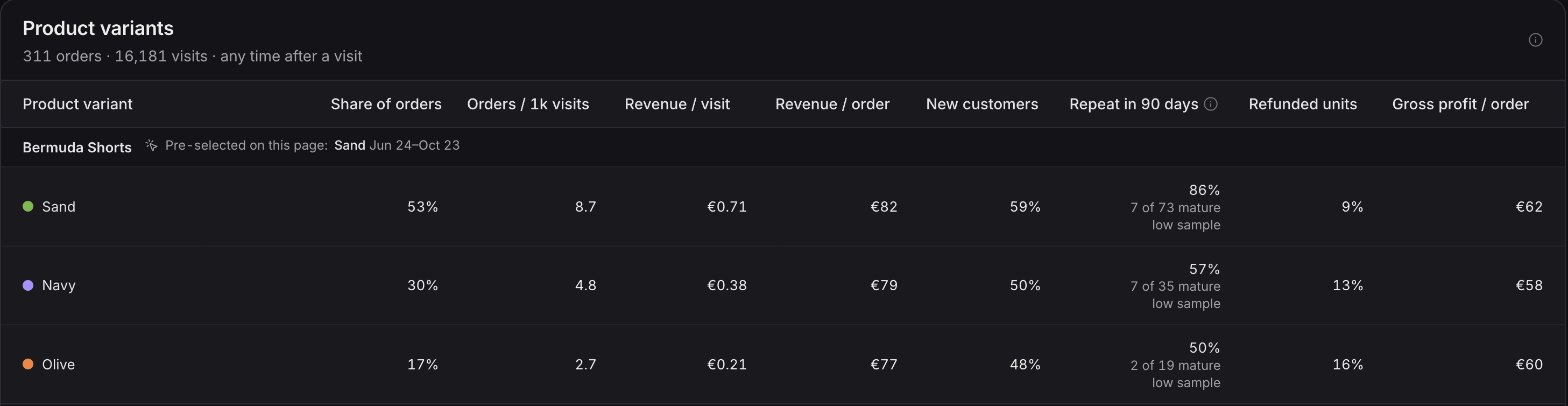
Open any page in Page Performance to see which variants its shoppers buy and what each one earns per visit. A bigger pack can raise your order value and still earn less from every visitor, so this is the number to decide on.
By channel
See whether shoppers from different channels choose different variants.
Also in this release
A/B tests judged on revenue
A/B tests judged on revenue
Every A/B test now gets a verdict based on what each version earns, so you know which one makes you more money, even on a store without huge traffic.
Available now
Product variant reporting is live on every plan, and so are the new A/B test verdicts. Margin and costs are on the Advanced plan.
 Connect your store